
In the Global Content section, certain settings can be configured centrally — but only on the network level of a WordPress multisite. These settings are not available on individual sites. To access them, navigate to Global Content → Settings in the network admin menu. The page is registered as an Options Page and allows you to define two global behaviors related to synced content and review processes.
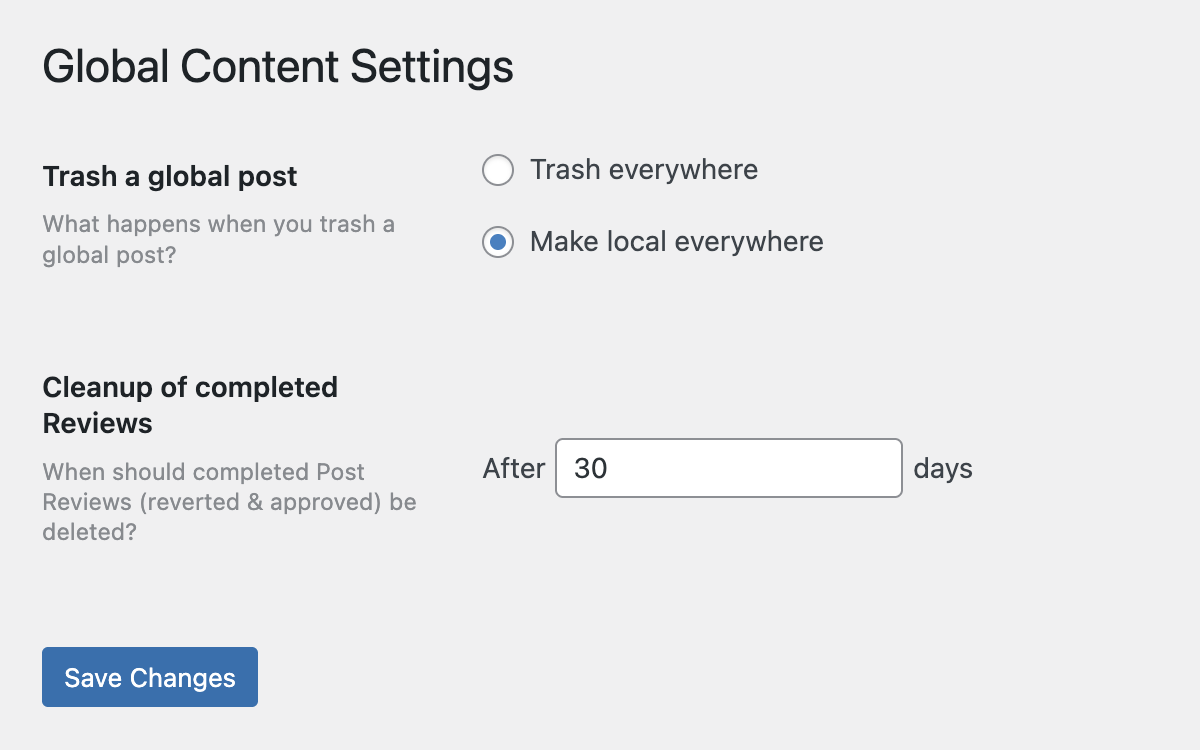
The first setting, Trash a Global Post, defines what should happen when a global source post is moved to the trash. Two options are available via radio buttons:
- Trash everywhere: This will move all linked copies of the post across the network to the trash.
- Make local everywhere: This will detach all links to the original post, converting each copy into a local, unsynced version.
This decision applies network-wide and ensures consistent behavior for all global content deletions.
The second option, Cleanup of completed reviews, controls the retention period for completed Post Reviews. When a review is either approved or reverted, it remains in the database unless explicitly cleaned up. This setting defines after how many days those entries should be deleted. By default, completed reviews are removed after 30 days. You can adjust this number to fit your workflow. For more on how post reviews work, see the related article Post Reviews.
After adjusting any setting on this page, make sure to click Save Changes to apply them.