
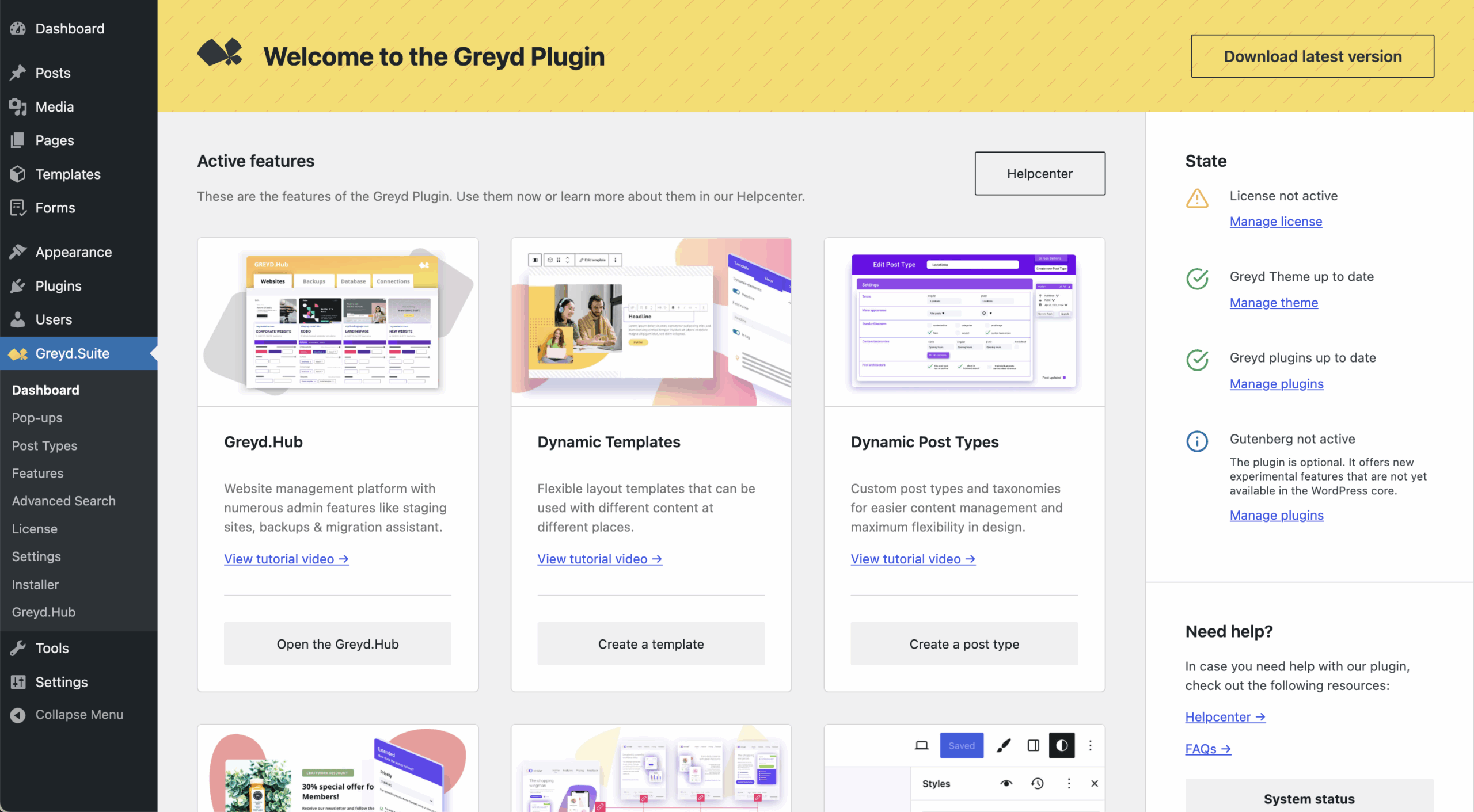
The Greyd Plugin Dashboard offers a central overview and helpful controls for managing your installation. It provides quick access to licensing, features, theme/plugin status, and support resources.
At the top of the page, a yellow notification bar includes a download button on the right. This lets you download the latest version of the plugin directly, ensuring your installation is always up to date.
Main Section
The main area of the dashboard is also structured into three parts. The Active features section lists all features currently in use. Each item includes a direct link to its settings page and a tutorial video to help you get started or optimize its use.
Below that, the Activate more features section displays all available but currently inactive features. You can activate them with one click. If a feature requires a separate plugin, you can install it directly from this section. Features can also be deactivated from the main Features page.
Lastly, the More helpful quick links section provides shortcuts to the general plugin settings, the Features page, and the license management screen.
Sidebar
On the left, the sidebar is divided into three distinct sections. Under State, you’ll find information about your current setup. This includes whether a license is active (along with a direct link to the license settings), whether the Greyd Theme is active and up to date, and whether all required Greyd plugins are current. It also displays whether the Gutenberg plugin is active — although this is not required, it may enhance certain block-related features.
The section Need help? contains direct links to the Help Center and the FAQ. Additionally, there’s a System status button. Clicking this opens a modal that displays key technical information about your WordPress installation. You can easily copy this information and include it when contacting support, which helps the team diagnose issues more quickly.
The third section, Changelog – what’s new?, shows the changelogs of the three most recent versions. This allows you to review recent changes without leaving the dashboard.